January 2026 — Release notes
Power Tools v1.19
We are happy to announce a major update for Power Tools!
Version 1.19 brings a complete architecture rebuild for the V8 engine, new options for handling formulas in Combine Sheets, cleaner data management, and support for international date formats.
Tip. Install the latest version of Power Tools from the Google Workspace Marketplace to try all the new features.
V8 Upgrade
The add-on is rebuilt for Google's mandatory V8 standard. This new architecture is more demanding, so despite our optimizations, you may encounter some new user experience. We welcome feedback if you have any questions or suggestions.
Note. Auto-start is no longer available due to V8 security restrictions.
New features
Upgraded Combine Sheets
Control over formula results
Choose whether to keep the original formulas or use their results when combining sheets:
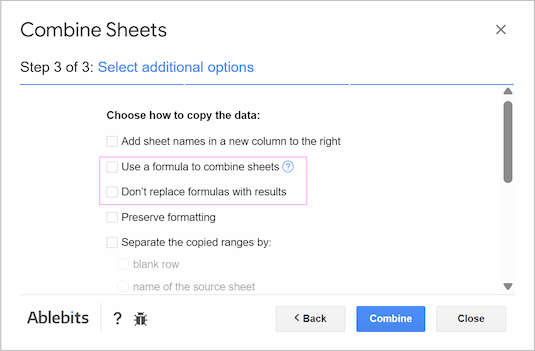
- Use a formula to combine sheets: choose this to get a dynamic result that auto-updates when source records change.
- Don't replace formulas with results: check this to copy formulas exactly as written, without adjusting references.
Sort your result
Take more control of your combined data with a new sorting option:
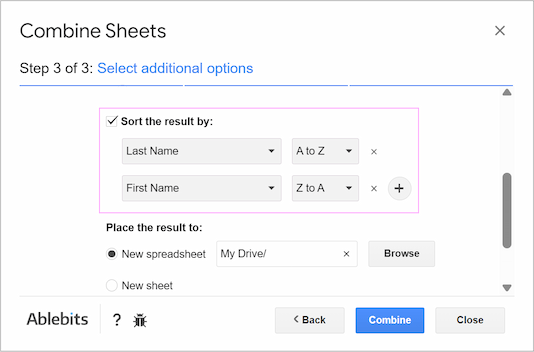
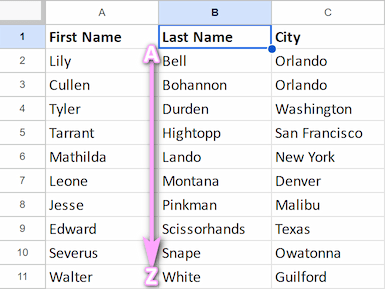
Whether you combine with or without a formula, you can now sort the result by any number of columns in ascending (A >Z) or descending (Z >A) order.
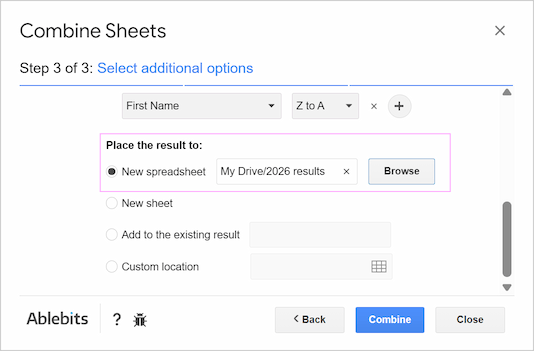
New place for your resulting files
Browse your Google Drive and save the result directly to a specific folder to keep your workspace organized:
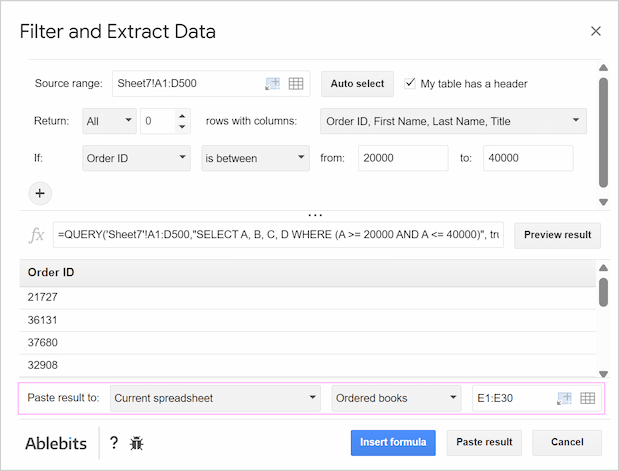
New destination options in Filter & Extract Data
Paste the results directly into any spreadsheet you need in the Filter & Extract Data tool as well:
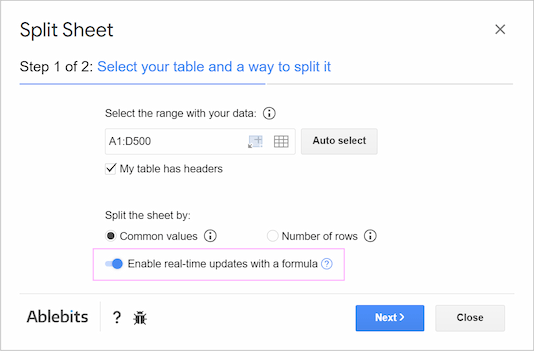
Live updates for splitting by rows
The Split Sheet tool now uses formulas to create a dynamic link to your source data, so any new data appear in the split sheets in real-time:
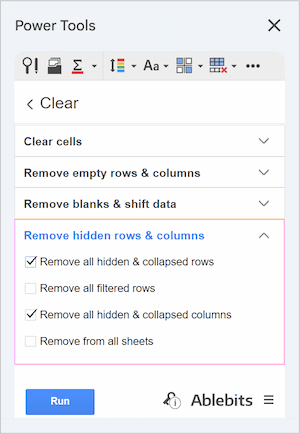
Delete hidden data
Get cleaner data by deleting hidden or filtered rows and hidden columns within the new Remove hidden rows & columns section in the Clear tool:
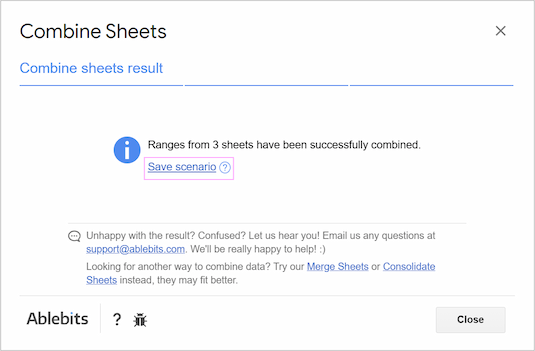
Save time with scenarios
Avoid repetitive setup steps with the new Scenarios feature in Combine Sheets, Consolidate Sheets, and Split Sheet!
Export and import scenarios to share configurations with your team or save backups to your Drive:
Run it whenever you need straight from the Google Sheets menu:
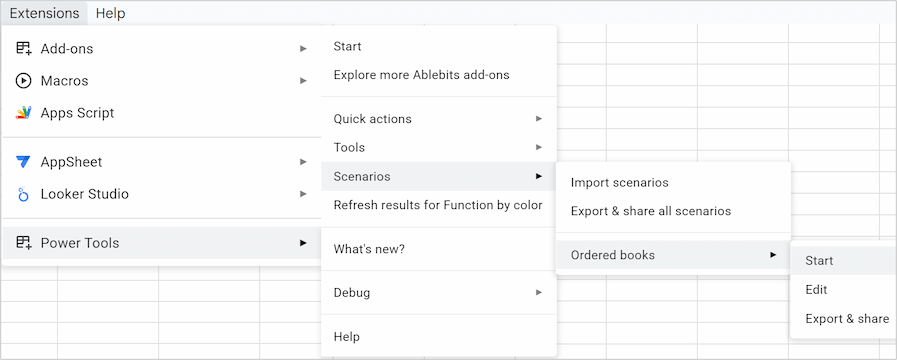
Tip. Learn how to work with scenarios in this tutorial.
Improvements
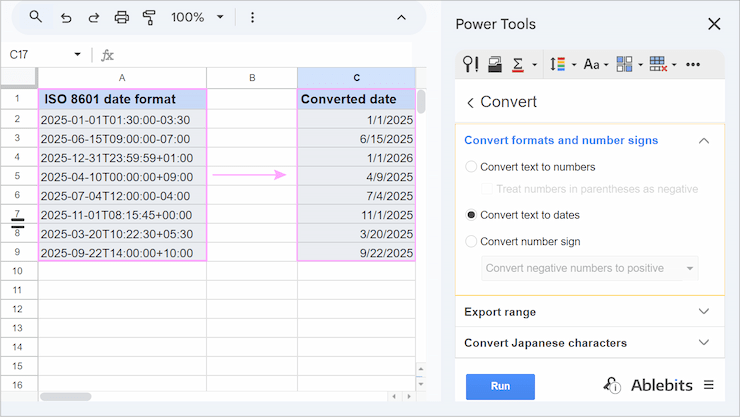
New date format
We added support for the international ISO 8601 date format for converting text to dates:
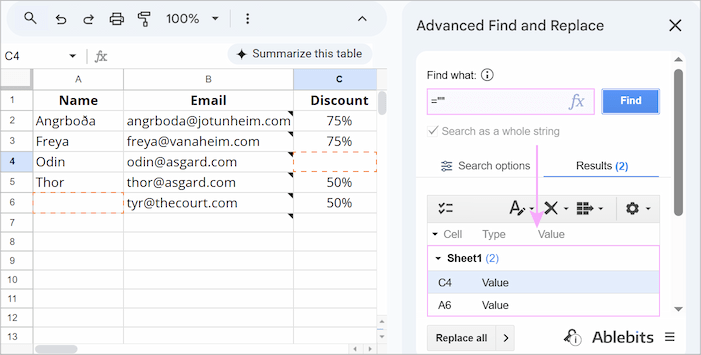
Find blank cells
Find blank cells to clean up empty rows with the Advanced Find and Replace tool:
Tip. Learn more in this tutorial.
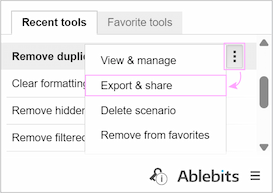
Quick scenario export
You can now export saved scenarios from Recent tools:
Please contact us here