Shared Email Templates & Signatures for Gmail
Welcome to Shared Email Templates & Signatures
Shared Email Templates & Signatures is an extension that turns Gmail into a powerful system for handling correspondence.
Designed for everyone: individuals, teams, and enterprises
The add-on is the perfect solution for those who write a lot of similar emails and/or work in a team:
- Sales departments: for cold emails, responses to typical inquiries, and sending commercial offers.
- Customer support: for quick and high-quality responses to FAQs.
- HR and recruiters: for interview invitations, offers, and rejections.
- Account managers: for regular reporting and customer interaction.
- Administrators and secretaries: for scheduling appointments and confirming reservations.
Broadly speaking, if you find yourself copying and pasting from a notebook or old emails more than once a day, you should give Shared Email Templates & Signatures a go.
Everything required to send professional emails in seconds
Gmail drafts and templates are just a flat, messy list. With Shared Email Templates & Signatures, all your templates and brand-approved signatures are safely stored in one cloud-synced library. You or your colleagues will be able to find the right template in 2 seconds thanks to folders and quick search.
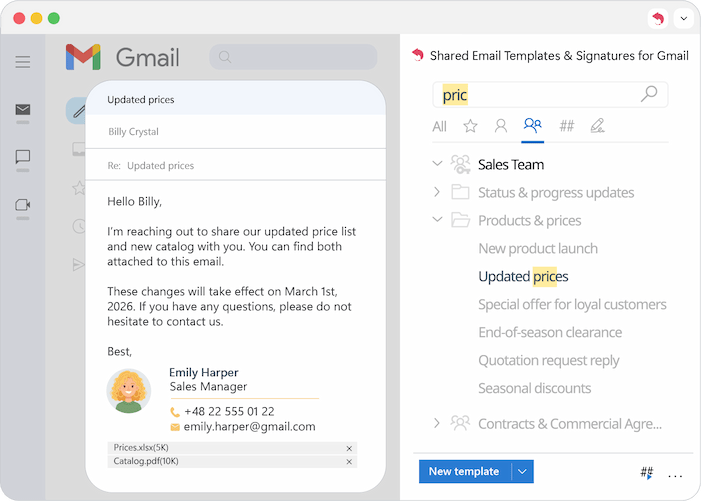
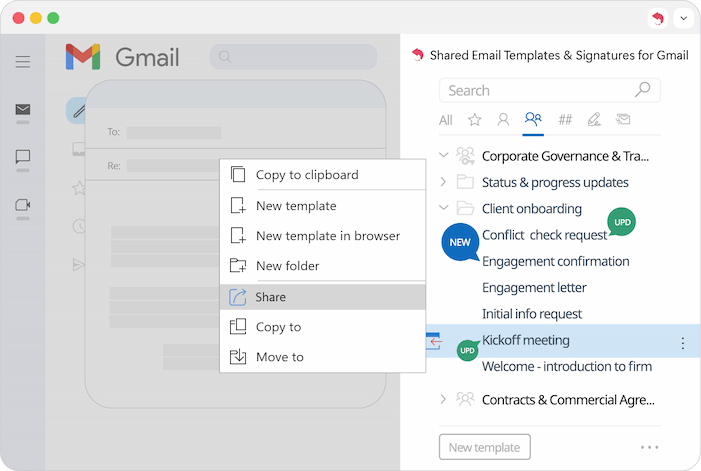
In standard Gmail, you can't easily share a template. Everyone in the team has to manually create their own. With our extension, when a template is updated, it changes for the entire team at once. Moreover, if you want to share your template with another team, all you need to do is right-click the target template and select Share.
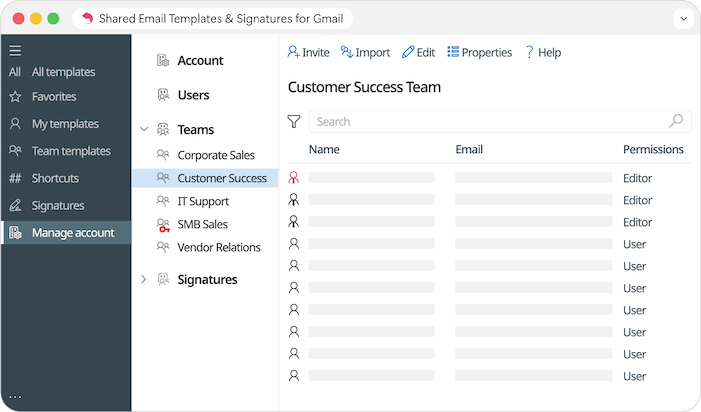
Note: Worried someone might mess with the content? You can lock specific groups and decide exactly who can use which templates and who has the authority to edit them.
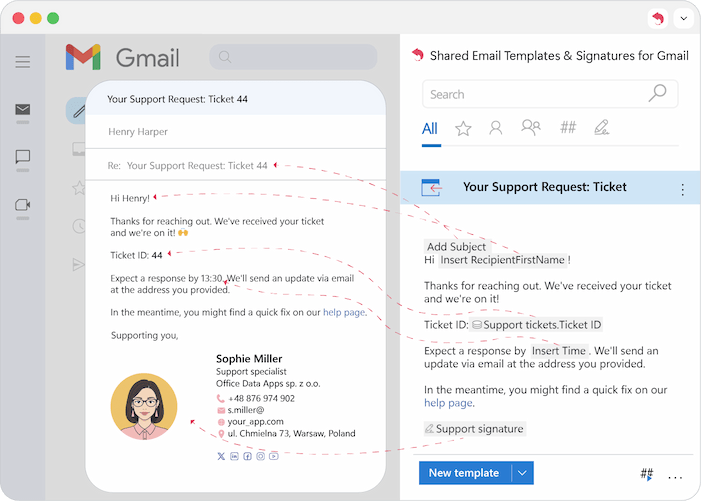
Standard templates are static, but Shared Email Templates are dynamic. Every click lets you customize your message for your specific goal and recipient: pre-fill To/ Cc/ Bcc fields, populate the subject line, personalize with greetings, auto-fill placeholders in the message text, select any signature. The add-on makes this easy with powerful macros and shortcuts.
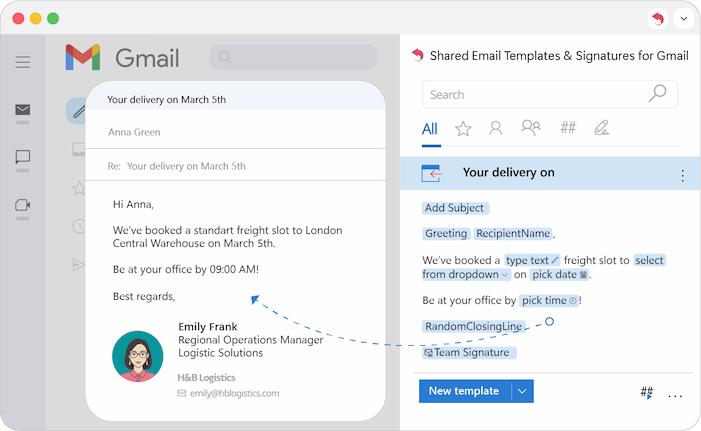
This isn't just another "canned response" tool. It’s a full-scale upgrade for your Gmail. With Shared Email Templates & Signatures, you will no longer forget to change the client's name or attach a price list, as the add-on will do it automatically and create a custom email for you.
Please contact us here