May 2026 — Release notes
Merge Sheets v2.2
Tip. Install Merge Sheets from the Google store to view all new features firsthand.
New features
Run scenarios automatically
Note. Automated scheduling is currently available for users with a paid subscription. Annual plans receive 100 quota units; Lifetime plans receive 300 units (1 sheet processed = 1 quota unit used). If your workflow requires a higher quota, just contact us at support@ablebits.com!
Now you can set your saved merge scenarios to run automatically on a schedule! Merge Sheets executes tasks entirely on Google servers, so there's no need to keep your spreadsheets open or your computer turned on.
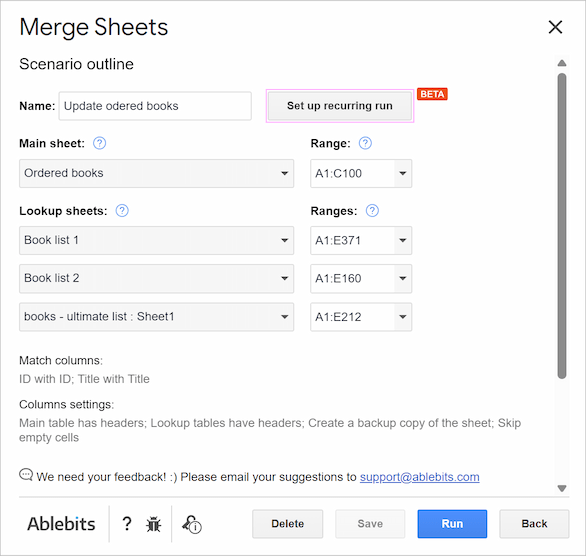
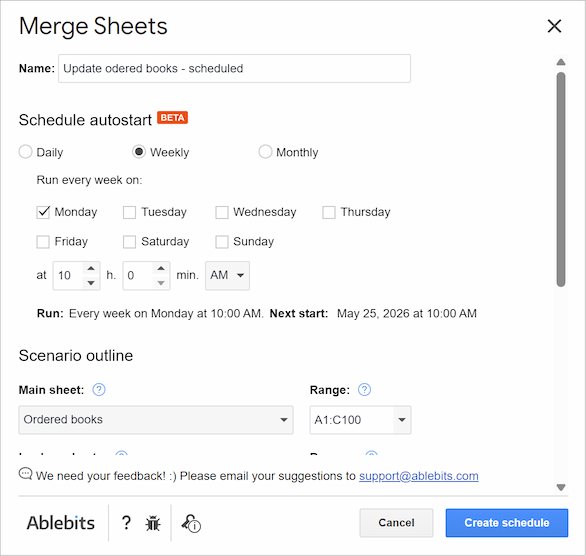
Flexible timing: Choose daily, weekly, or monthly recurring runs at your preferred time.
Central management: View, edit, or delete your automated schedules anytime from a single window.
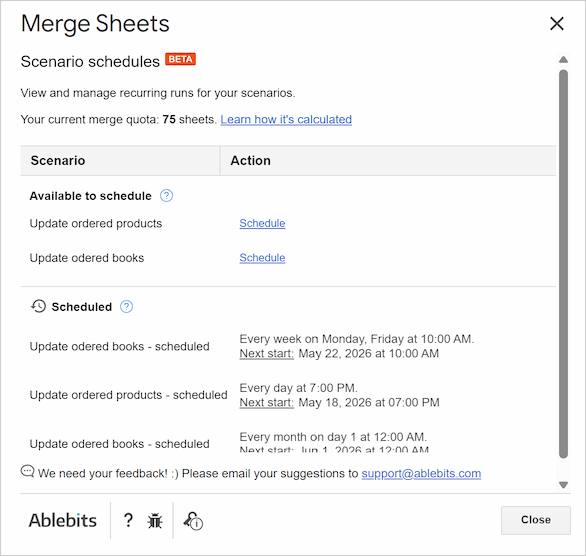
Note. Scheduling creates a copy of the scenario for the recurring run. Your original scenario stays unchanged.
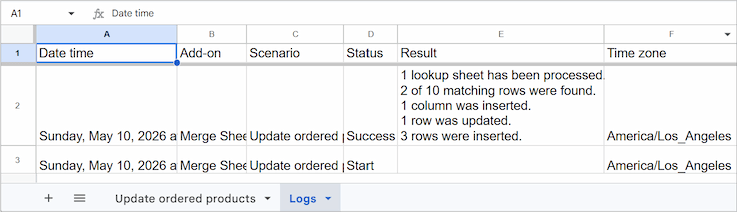
Execution logs: Keep track of every automatic run with a dedicated log sheet created right next to your results.
Quick range selection
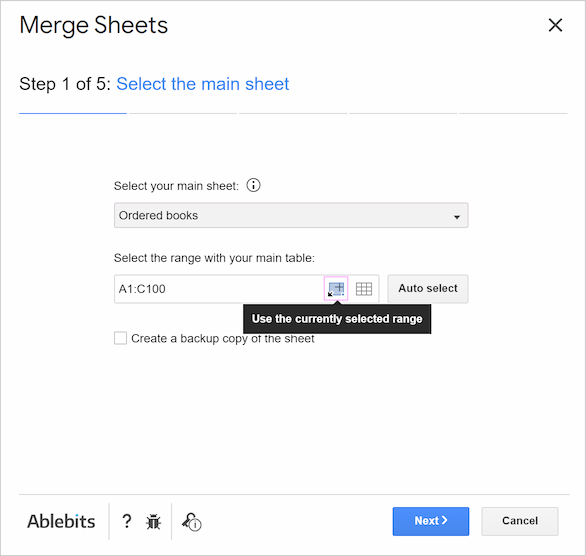
To make working with range selection easier, we added a new "Get selection" icon to instantly insert the currently selected range from your spreadsheet.
Improvements
Safer folder navigation
Navigating folders within Google Drive now requires a double-click. This simple change prevents accidental folder selections while scrolling quickly.
License key recovery
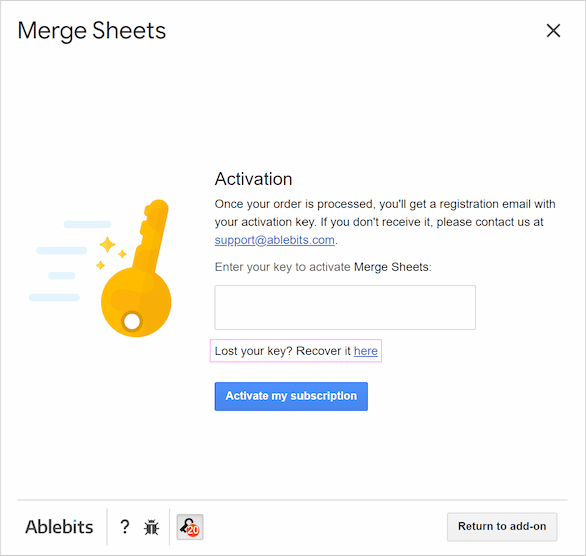
We added a direct recovery link right on the activation screen so you can easily retrieve your key.
Please contact us here
We usually reply in a few hours. (And yes, we are real people!).