Shared Email Templates for Outlook
Smart way to handle routine emails
If email communication is part of your daily work, there is an easy way to make it more effective and productive:
- Create reusable email templates seamlessly integrated into Outlook.
- Customize and individualize as necessary.
- Use personally or share with teams.
- Reply to emails with a click!
including Windows tablets
Outlook on the web (in browsers)
Outlook on the web (in browser)
(Outlook on the web / in browser)
(Outlook on the web / in browser)
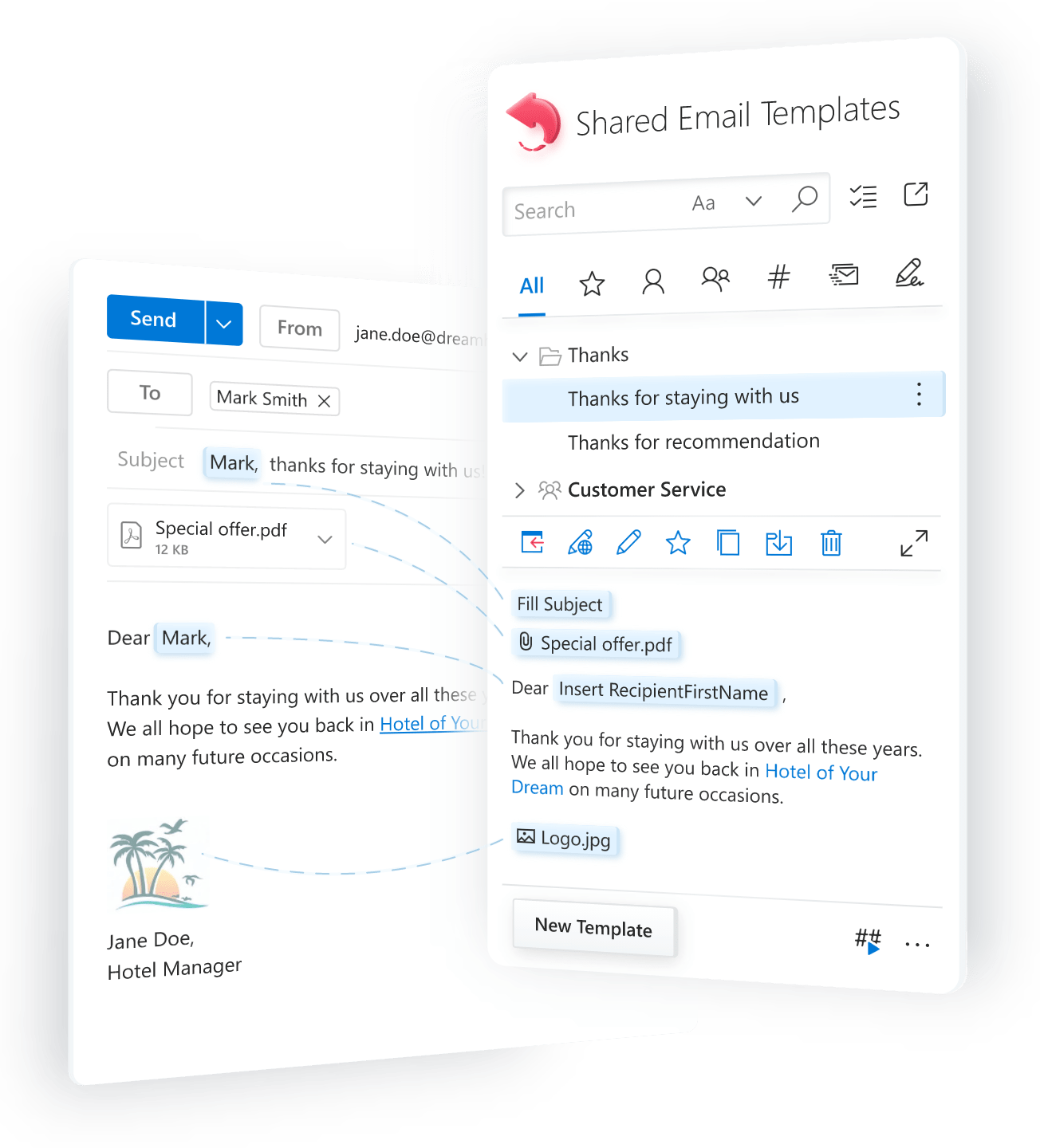
Create once, reuse any time
routine emails
personalized templates
with fillable fields
template designs
bulk mailings
management
template sharing
in mail merge campaigns
including Windows tablets
Outlook on the web (in browsers)
Outlook on the web (in browser)
(Outlook on the web / in browser)
(Outlook on the web / in browser)
What our users say

Unique features that you won't find anywhere else

Always at your fingertips
One storage for templates


Cross-device access
Routine emails made custom-tailored and personal
- Insert the recipient’s name anywhere in a message.
- Create a personalized subject line.
- Dynamically attach files or entire folders.
- Insert fillable text fields, date-picker calendars, and dropdown lists.
- Pull relevant data from Excel sheets.


Dynamic templates with conditions
Reuse your existing templates as building blocks for new ones, without wasting time on rewriting, updating or copy-pasting anything. Make your messages more relevant by inserting specific parts of a template only when certain conditions are met, such as when the email subject or body contains or does not contain a particular word.
Team communications kept consistent
If needed, shared folders can be password-protected and accessed only by those eligible. Extremely helpful for remote teams.


Not just email replies
Ideal for personalized mass mailings
As an extra bonus, you'll get a collection of professionally designed ready-to-use HTML-based templates (8 layouts and 14 color themes), perfectly suited for newsletters and captivating promotional messages tailored for each recipient. You can even add personalized attachments in your mail merge campaigns!


Company or team wide signatures
All your data is safe & secure
And what's more, you can take control and maximize the security of your shared email templates by following a few simple steps.

60-day free trial
Start your journey to more productive email communication with a risk-free trial. No credit card required.
including Windows tablets
Outlook on the web (in browsers)
Outlook on the web (in browser)
(Outlook on the web / in browser)
(Outlook on the web / in browser)
Create and manage templates

Use macros in templates

Add interactive fillable fields

Template shortcuts

Attach files to templates

Insert pictures into templates

Insert-if sections

Fill template fields with dataset values

Populate tables and lists with dataset values


System requirements

Microsoft Outlook
- Outlook for Microsoft 365
(classic and new) - Outlook for Windows 2024
- Outlook for Windows 2021
- Outlook for Windows 2019
- Outlook for Mac 2024
- Outlook for Mac 2021
- Outlook on the web (in browsers)
- New Outlook for Windows
Browsers
- Google Chrome
- Microsoft Edge
- Safari
- Firefox
Platforms
- Windows
- MacOS
- ipadOS (Outlook on the web)
- Android (Outlook on the web)
All your data is safe and secure
Privacy and security FAQ
Do you read my incoming and outgoing emails?
No, we do not access or read your emails. Shared Email Templates stores your templates in a cloud database but operates locally in your Outlook and does not send your email content outside your computer. Learn more.
Do you have access to my files in OneDrive or SharePoint?
No, we do not have access to your files stored in your OneDrive or SharePoint. Shared Email Templates interacts with these services from your Outlook to insert images or links, attach files to your emails, or upload files while you are adding attachments to email templates. When you use your templates, no single OneDrive or SharePoint file is sent outside of your computer and your cloud storage. This is how it works.
Do you capture what I type in my Outlook?
No. Being a modern Outlook add-in, Shared Email Templates is limited by the Microsoft Office extensibility architecture and therefore cannot capture your keyboard strokes when you type emails.
Where are my templates stored? Are they safe?
Your templates are securely stored in the Amazon Web Services (AWS) cloud, specifically in a Multi-AZ database encrypted by strong algorithms. This ensures the safety of your data.
What do you do to protect my templates and secure my data?
The protection and security of your data is our top priority. It's an integral part of our entire software development and data processing workflows: from coding and deployment to support and maintenance. We use the most secure AWS and Azure cloud services to store and transfer your data. We encrypt it with industry-standard encryption protocols and algorithms—whether at rest or in transit. Finally, our codebase is built on the best security and privacy guidelines to ensure the safety and integrity of your data.
Why does Shared Email Templates request so many permissions?
All the permissions requested by Shared Email Templates are necessary for its features to function properly. These permissions are used locally from your Outlook. Without them, the add-in wouldn't be able to, for example, insert templates at the cursor position, attach OneDrive or SharePoint files to your emails, add pictures, or fill in tables from Excel-based datasets.
What happens to the data I enter into template fillable fields?
Any data you enter into fillable fields remains in your Outlook. It is processed locally on your computer to be inserted into your email. We do not store, track, or transfer this data.
What about strict IT policies, such as in healthcare or finance sectors?
Shared Email Templates is designed to comply with strict data privacy regulations, such as GDPR, HIPAA, and CCPA. Also, you can add an additional protection layer to maximize safety and security of your data by following this guide. However, it will be prudent to consult with your IT department and check for specific policies prior to installing and using the add-in.
Do you track my activity?
We prioritize your privacy and record your last visit only - just for checking active subscriptions.
Do you share or sell my data?
No, we don't share, sell, or otherwise distribute your data to any third parties. Your data remains private. It's only used to run the service, as outlined in our Privacy Policy.
How can I retrieve my templates and delete my account?
What happens to my data if I stop using Shared Email Templates?
If you stop using the add-in, your templates and profile data will remain available for 12 months after your paid subscription expires. After that, all your data will be automatically removed.
Do you have a security guide for non-technical users?
Yes, we offer a security guide that explains simply and clearly how to maximize the security of your shared email templates.
Choose your subscription plan
|
Yearly
Monthly
|
Free Trial | Business | Enterprise | Mail Merge |
|---|---|---|---|---|
$0.00 Free |
$3.00 per user / month billed annually |
$4.00 per user / month billed annually |
$15.00 per user / month billed annually |
|
You can choose currency in the next step. |
Get it from | Subscribe
|
Subscribe
|
Subscribe
|
|
Templates and folders
Not to impact Outlook performance, each team has a limit to the number of items:
Total number of folders and templates the user can use personally and in all your teams |
7,000 | 1,500 | 7,000 | 7,000 |
Teams per user Number of teams the user can be invited to |
6 | 3 | 6 | 6 |
Company account Centralized management of users, teams and subscriptions |
||||
Managed teams Number of teams the company admin can create and manage |
unlimited | unlimited | unlimited | unlimited |
Mail merge Free trial limitations
Use your Outlook mailbox for personalized newsletters, notifications, etc. Learn more → |
||||
Subscription duration |
60 days trial period | 12 months | 12 months | 12 months |
Charities
For charities, we offer a complimentary 12-month Business subscription for up to 5 users.
Poland stands with Ukraine
We provide free yearly Business subscriptions for Ukrainian small businesses as well as nonprofit organizations and volunteers that help Ukraine. Some documents may be requested.