
Solve 300+ daily tasks in Excel 365, 2024 – 2016
Ablebits Ultimate Suite for Excel
A comprehensive set of 70+ time-saving tools that cover over 300 use cases: merge tables and combine worksheets, find and remove duplicates, concatenate and split strings, trim spaces and clean data, compare two sheets for matches and differences, built custom-tailored formulas, and a lot more!

Smart way to handle routine emails
Shared Email Templates for Outlook
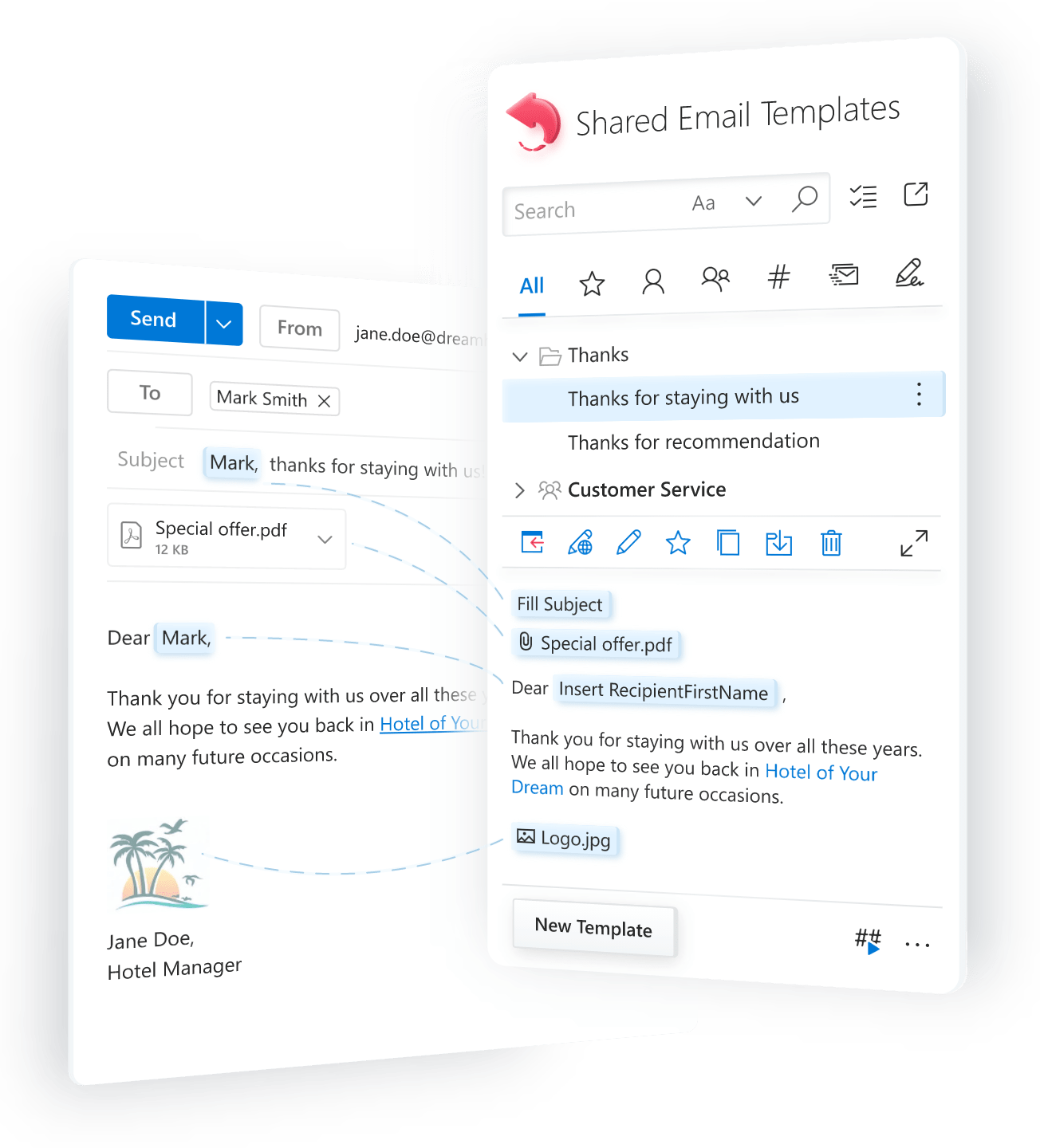
If you are tired of repeatedly typing the same replies to routine emails, reply with a template in a click!
- Create your set of fully customizable templates.
- Personalize responses as needed.
- Share templates with teams or use personally.
- Access templates from any device on any platform.
Works on
Outlook for Windows
including Windows tablets
including Windows tablets
Outlook for Mac
Office 365:
Outlook on the web (in browsers)
Outlook on the web (in browsers)
Microsoft 365:
Outlook on the web (in browser)
Outlook on the web (in browser)
iPads
(Outlook on the web / in browser)
(Outlook on the web / in browser)
Android tablets
(Outlook on the web / in browser)
(Outlook on the web / in browser)
Bulk but trusted emails from your Outlook mailbox
Mail Merge for Outlook
If you often send flyers, newsletters, business proposals, or holiday greetings to your personal contacts,
Mail Merge is just the thing. To save your time, it comes with customizable templates and adaptive layouts.
You can launch your email campaign immediately or postpone it if needed. Try this tailored solution for your personal email events.
Enjoy the benefits and find no drawbacks ;)
Get it from Microsoft
Works on
Outlook for Windows
including Windows tablets
including Windows tablets
Outlook for Mac
Office 365:
Outlook on the web (in browsers)
Outlook on the web (in browsers)
Microsoft 365:
Outlook on the web (in browser)
Outlook on the web (in browser)
iPads
(Outlook on the web / in browser)
(Outlook on the web / in browser)
Android tablets
(Outlook on the web / in browser)
(Outlook on the web / in browser)

Power Tools for Google Sheets
A complete collection of tools for simpler work with spreadsheet data
Power Tools takes the burden of monotonous repetitive work in spreadsheets off your shoulders. 40+ features will streamline multiple routine operations in Google Sheets: remove duplicates, merge cells and tables, sum by color, combine sheets, perform advanced search and replacement, split names, and much more. Keep a list of your favorite tools and re-apply them to any cells any time.

Gmail templates made smarter
Shared Email Templates for Gmail
No more digging through messy drafts — keep your Gmail templates organized and just a click away!
- Create customized reusable email templates.
- Automate email content with powerful macros.
- Share templates to keep teams on the same page.
- Add a personal touch to replies with smart placeholders.
Add it to your Gmail
Works on
Chrome and Edge
browsers for Windows
browsers for Windows
Chrome browser for Mac

20 latest reviews from our customers
IMO this product is terrific
I have been using the Ablebits (for Excel) product for over 5 years. I have found it to be a most valuable time saver. It provides many actions (e.g., finding duplicate entries, removing spaces, converting numbers to alpha, etc.) which has helped me shorten my time in completing and delivering files to other members of my team. I have multiple licenses for several PCs.
IMO this product is terrific. However, where I find the separation from other similar products, is the Customer Service support. When I have reached out to them, with any issue, not only have they been responsive, they make every effort to fully understand the issue before they offer to provide a remedy.
Ablebits: 5* for quality, 5* for function, 5* for support
Ablebits is one of the best timesavers in my toolbox. I fully believe that I gain >50% efficiency time wise and experience a dramatic increase in accuracy.
I just received wonderful and timely tech support from the support team. Fast response. Accurate. To the point.
5* for quality, 5* for function, 5* for support. Thank you Ablebits team!
I can’t tell you how much I use and appreciate Ablebits
I can’t tell you how much I use and appreciate Ablebits. The Merge Tables function is worth it alone, but I’m still discovering new fun things this add-in can do. It’s hands down the best program I’ve used to enhance data analysis and curation.
Since I found Ultimate Suite, I have been able to actually enjoy my data days
I am the lucky person in our office to manipulate data in Excel. I used to dread it and take days to complete. Since I found Ablebits Ultimate Suite for Excel, I can be the office star and have been able to actually enjoy my data days. This product saves me frustration and time. Excellent support, great documentation and it is easy to work through. Highly recommended!
I have used Ablebits for over 10 years and love the product
I have used Ablebits for over 10 years and love the product. As an advanced user of Excel, I still benefit from skipping formulas and going for the easy Ablebits click. There are many Ablebits functions that I use that have no formula as well. Ablebits is a particularly good tool if your task is to merge many different historic datasets from different users, that have been arranged using different logics (perhaps with sloppy data entry), and making one clean dataset. Ablebits makes such a task fun!
My experience with Ablebits has been nothing short of outstanding
Overall, my experience with Ablebits has been nothing short of outstanding. Not only does their software deliver on its promises, but their commitment to customer satisfaction truly sets them apart. I highly recommend Ablebits to anyone in need of reliable and feature-rich software, backed by unparalleled support.
These should all come standard with Excel
It boggles my mind that it took a third party to add these tools to Excel. Used Ablebits throughout its trial whenever i was hitting pain points in Excel, and it invariably made life easier and streamlined my work. I can genuinely say it's saving me at least 3 to 4 hours a week.
All in all, if you work in Excel daily like me and there's no hope of your business moving away from it, Ablebits will make your life infinitely easier and it's definitely worth the money.
I've been with Ablebits since 2018
I've been with Ablebits since 4/2018. Numerous updates and new installs. No complainants at all. They are very responsive and always very professional. The software is the best Excel add-in that I've tried. If you try their Software, and need help, email them and they'll respond to help. If you've tried other Excel add-ins and felt letdown, give Ablebits a try! You'll love the software and technical support if you need it.
Excellent customer service!
I took advantage of the trial period for the full program, and I put Ablebits through everything I wanted to achieve. Wow! It worked so beautifully. When I was ready to purchase, I ran into an obstacle. It was a Saturday morning (in my country). I wrote to their customer service and within a few hours I had Excellent communication as to how to resolve my issue. Reinstalled with no problems. I am so happy with my decision.
I love Ablebits because it turns a 5-hour project into 5 minutes
I love Ablebits because with the easy download (takes less than 1 minute), I have access to so many tools in Excel. I work in sales, so being able to compare tables and find duplicates is a lifesaver. I would recommend this to anyone who works with lists.
Quick response to my issue
I am a noob when it comes to using Excel. However, I started a part-time job this month with a company that uses it exclusively for their reports and general communications, so I have undertaken a crash course in learning this program. I came across the Ablebits app and gave it a test run. THANK GOODNESS I DID! I know there are many more things I am to learn but this app has given me the confidence that I will be able to keep up with the rest of the team. Not an easy task for a 68-year-old man trying to stay relevant with this younger generation.
Well worth every dollar
I've used several add-ins over my many decades of using Excel. I must say that Ablebits has given me the biggest bank for my bucks. The ability to easily parse data from other sources is worth the price of admission alone. Well worth every dollar.
I Love Ablebits
I Love Ablebits, and have used this add on tool since 2020. Working at a global company that has several data bases, compiling data from these different data bases would have driven me absolutely CRAZY, if I didn't have Ablebits! When I show coworkers how I can have reports done so fast, I show them the tools and how they work. Without fail, their response is: "That's it ?!"
Ablebits is a major time saver
Ablebits is a major time saver when doing advanced work in Excel. Merge Wizard makes merging tables a breeze. They also provide Excellent and quick customer service. I make sure that everyone on my team has able bits.
The best Excel extension package!
I found out about Ablebits about a year ago when I looked for efficient ways to combine data from different Excel sheets. After using the free trial version for a couple of weeks I realized that these useful extensions were exactly what I've been looking for, and more so! So I bought the full version, and now I really can't imagine how I could manage without it before. It just saves me so many hours of work each day, and I couldn't be more satisfied! Plus the support is great, with very short response time. Keep up the good work!
I prefer the simplistic and efficient way Ablebits handles tasks
I have been using this product for years and it does exactly what I need it to do to enhance my overall Excel experience. Other people may have coding expertise and methods to make Excel do whatever they need, but I prefer the simplistic and efficient way Ablebits handles tasks, and it helps me get the job done quickly and effectively. I feel it pays for itself after one use.
It has already paid for itself in less than 48 hours
I have used Ultimate Suite for Excel for just 48 hours now. It way exceeds the expectations I had for the product. It has already paid for itself in less than 48 hours in terms of time saved.
The support team is amazing. As a newbie, I had an issue and the support team got back to me with a solution in under 6 hours, with clear instructions on how to track similar errors should I encounter them in the future. I really recommend this product to all. It is worth every cent.
Still loving it after all these years...
I've been using Ablebits for years and have always found it insanely useful for all those more complicated things you need to do in XL. Their interfaces are very user friendly (way better than MS), and the functionality greatly extends what you can do with XL. The icing on the cake is that the customer service is top notch. Not only are they super responsive, but they continue to communicate with you until your issue is resolved. Many thanks Ablebits!
Above and beyond
Bought the Ultimate Suite several years ago and found it absolutely indispensable for analyzing production data on information security control assessments as well as concepting a quantitative risk analysis approach based on this assessment data. Had to reinstall the suite on a new computer recently and had to give it another go because I didn't have a license for the latest version. Filled out the survey on why I uninstalled it (before installing the previous version) and customer service reached out with a free upgrade. Wow! Who does that? Great company, great tools, great customer service!
Perfect software
It has been my experience that it is remarkably rare that software surprises the user by simply doing, beautifully and simply, precisely what you hope it will. The Ablebits Ultimate Suite add-in for Excel is such a software. It has become an indispensable part of how I manage large Excel data files.
New blog posts
How to automatically download images in Outlook
When you receive an email in Microsoft Outlook that contains images, they're often blocked by default for security and privacy reasons. While this is helpful for protecting your data, it can get frustrating, especially if you receive dozens of emails from your partners or clients containing pictures you need to view.
Outlook OST & PST file size limit and how to increase it
As your mailbox fills up with messages and attachments, Outlook data files can grow quickly and eventually hit their size limits. When that happens, Outlook may slow down, show sync errors, or even stop saving new items. The good news? You can take control.
How to permanently delete emails from Outlook
When you delete an Outlook email using the standard method, it moves to the Deleted Items folder rather than being immediately erased. This means it still takes up space and can be recovered until the folder is emptied. If you want to remove emails permanently, Outlook offers several options.
How to check Outlook mailbox size
Running low on storage in Outlook can lead to various issues, from slow performance due to oversized data files to a complete block on sending and receiving emails when your mailbox reaches its limit.
How to clean up Outlook mailbox to free up space
Outlook provides quite generous storage space, allowing you to manage emails, attachments, and other data. But if you have been using Outlook for years without cleaning up your mailbox, the storage might be full. Big mailboxes are slower to open and search, making it harder to find important messages.

How to create Gmail templates with attachments
While Gmail built-in templates don't support attachments, that doesn't mean you're out of options. In this guide, I'll walk you through two ways to create Gmail templates with attachments.
Excel: featured articles
- Compare two Excel sheets - with formulas and tools
- Combine Excel files into one - with VBA or special tool
- Merge 2 or more tables - with formulas and Power Query
- Merge Excel sheets into one - consolidate data or copy sheets
- Merge multiple rows, combine duplicate rows - without losing data
- Create calendar in Excel - drop-down and printable
- Remove spaces between words - 3 quick ways
- Compare 2 columns in Excel - for matches and differences
- Merge multiple CSV files - into one Excel workbook
- Excel VLOOKUP tutorial - with formula examples
Outlook: featured articles
- Outlook email templates - 10 quick ways to create and use
- Email templates in new Outlook - canned responses for emails
- Share email templates - across teams and entire company
- Email templates with fillable fields - text, calendar, dropdown
- Mail Merge in Outlook - send personalized bulk email
- How to make Outlook signature - create, add and change
Google Sheets: featured articles
- Merge data from duplicate rows - based on unique column
- Compare data in two Google sheets - for matches and differences
- SUMIF in Google Sheets - tutorial with formula examples
- Google Sheets VLOOKUP - tutorial with formula examples